What to Look for in Clinical Operations Software
What to Look for in Clinical Operations Software
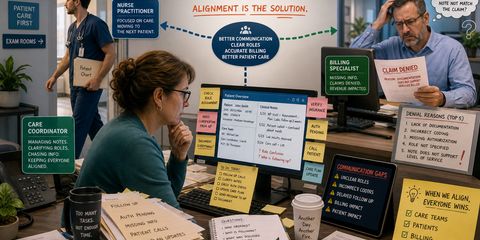
A care coordinator opens the day with 40 names, three separate lists, and no clean answer to a basic question: who needs attention first?
One patient has a new alert. Another may be eligible for a care program. A finished note is waiting for a signature. Billing is waiting on work the care team believes is done.
This is where a software demo can become dangerous. Every screen looks organized when it contains sample data. The real test is whether the system can keep a busy care team on one clear path when the work is messy.
In the first healthcare post in this series, we showed why notes, roles, and billing often disagree. Then we shared what changed when completed notes had a visible path to billing. This checklist is for the next step: choosing clinical operations software that fits the work.
Start with the workflow, not the feature list
Before asking what the software can do, pick one real visit and ask how it moves.
- Who starts the work?
- What information do they need in front of them?
- Who reviews it?
- When is a clinician's signature required?
- What exact point makes the record ready for billing?
If the seller cannot follow that visit from beginning to end, the feature list does not matter. Business process automation only helps when the system understands the real order of the work.
1. Can different kinds of work follow different rules?
Not every clinical note is complete for the same reason. One workflow may move forward when documentation is finished. Another may need a clinician's review or signature before billing can act.
Good clinical operations software should let those paths stay different without splitting the team across separate systems. Ask the vendor to show two note types with two completion rules. Then ask what stops the wrong note from moving too early.
A vague status like "done" is not enough. Look for plain stages with an owner, an exit condition, and a visible next step.
2. Does each role see the work that belongs to them?
A coordinator, clinician, biller, and manager do not need the same screen. They do need the same record underneath.
The coordinator should see calls, missing information, and follow-up. The clinician should see decisions and signatures. Billing should see work that is actually ready. Leadership should see where work is waiting without calling every person involved.
Ask what each role sees when they sign in. Then ask whether permissions protect private health information while still allowing the handoff. HIPAA-safe software should support the work, not force teams to copy patient details into email, spreadsheets, or a general AI tool.
3. Is the care plan present when the note is written?
A care plan hidden in another tab may as well be in another building. The person writing the next note needs the goal, the barriers, and the useful part of the prior note at the point of work.
Ask whether a note can be connected to one or more care plans. Ask whether the current plan and recent context appear without a scavenger hunt. Ask what happens when a new coordinator takes over next month.
The test is simple: can a new team member understand what has happened, what the patient is working toward, and what needs to happen next without rebuilding the story from memory?
4. Do alerts create owned work?
A red badge is not a workflow. An alert matters only if the right person sees it, knows why it appeared, and can move it toward a clear resolution.
Ask the vendor to show what happens after an alert is created. Who owns it? Can the team filter for open alerts? Can a practice distinguish a clinical reading from a refill request or an appointment need? Does the response become part of the record?
Useful AI integration can surface a change or organize context. It should not make the clinical decision. The clinician still decides, and the system should preserve that decision.
5. Can the system find eligible patients without creating another list?
Care teams lose time and revenue when eligible patients never reach the work queue. The answer should not be another monthly spreadsheet that one person cleans by hand.
Ask what data the software needs to identify possible eligibility. Ask how a person reviews the result. Ask how newly eligible patients enter the workflow and how the team records outreach or consent.
This is a good place for custom AI development when the source data is protected and the rules are clear. The system can help find candidates and explain why they were flagged. A qualified person must still confirm the next step.
6. Does completed work reach billing cleanly?
Ask to see the billing-ready queue. It should not be a report that mixes unsigned notes, unanswered questions, and complete records.
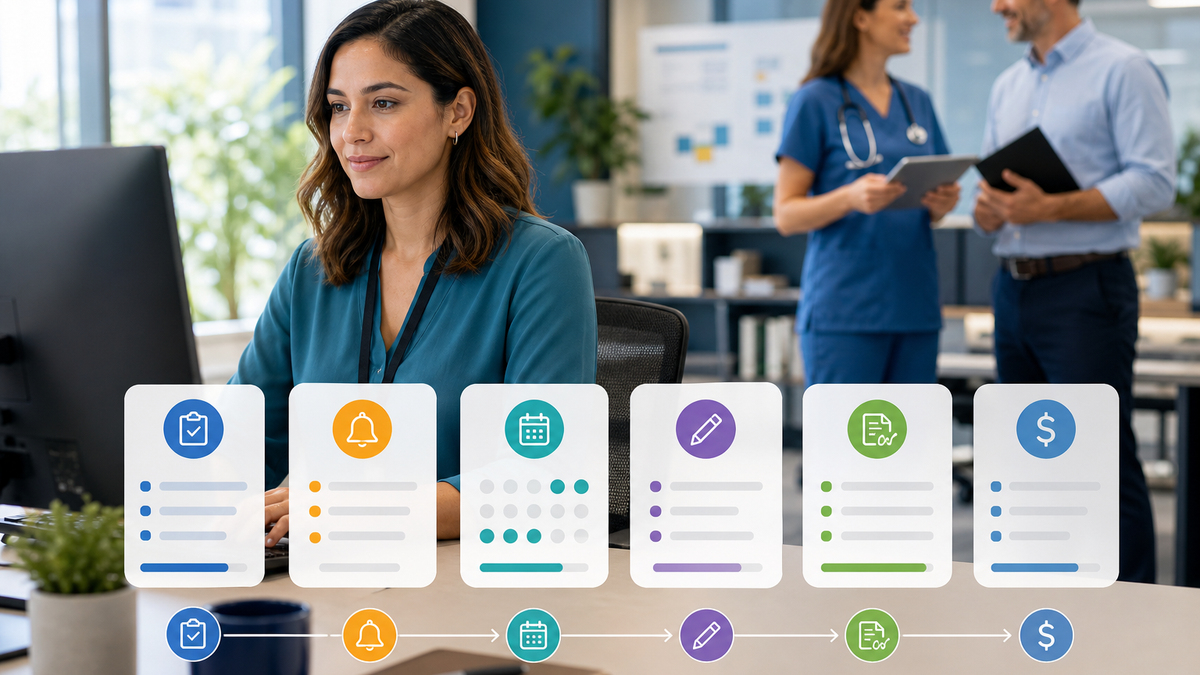
Look for a clear line between needs review, needs signature, and ready for billing. Ask whether required information can be checked before the handoff. Ask how billing sends a record back when something is missing.
The best answer is boring: completed work moves, incomplete work names the reason it stopped, and nobody has to carry the status in their head.
7. Can you get your records out?
Your clinical operation should not become trapped inside a vendor's account. Ask how notes, care plans, alerts, and billing records can be exported. Ask what patients can receive when they request a copy of a care plan. Ask what happens to your data if the relationship ends.
Also ask where the data lives, how access is recorded, and whether the vendor uses private health information to train a general AI model. The acceptable answer to that last question is no.
8. Will the team actually use it?
A powerful system that adds ten clicks to every call will create a shadow spreadsheet by Friday.
Ask the vendor to let a real coordinator complete a common task. Watch where they pause. Count how often they leave the record to find context. Test the system with a new team member, not only the person who helped design it.
Good software should make the right next step easier to see. It should not ask people to think like the database.
Questions to bring to the demo
- Show us one visit from first outreach through billing.
- Show us two workflows with different completion rules.
- Show each role's work queue and permissions.
- Show the care plan and recent context while a note is being written.
- Show what happens after an alert appears.
- Show how possible eligibility becomes reviewed, owned work.
- Show the difference between needs review, needs signature, and ready for billing.
- Show how we export our records.
- Tell us exactly where AI is used and where a person must decide.
If the demo stays on the dashboard and never follows real work, slow down.
Want these on paper? Get the two-page demo scorecard and score each seller as they answer.
The buying decision in one sentence
Choose the system that gives every role one trusted record and one clear next step.
You do not need the longest feature list. You need clinical operations software that keeps care plans, alerts, documentation, decisions, and billing connected without putting private patient information at risk.
cpcReach was built around that path for chronic care teams, ACOs, outpatient practices, and providers who see patients in nursing homes. If you are evaluating your current workflow, bring one visit that got stuck and book a short call. We will start there.
What is next in this series
The healthcare set is now complete. Next in engineering is the buyer's checklist: what to look for in engineering document management.